
Managing APEX Web Credentials & Remote Servers on Import

This is a worked example of how APEX manages re-pointing Web Credentials & Remote Servers when moving from Development to Non-Development environments (build, test, prod, etc).
Screenshots are provided to describe the selections when prompt on install is enabled.
Scenario
I have a REST Source Module on a Weather API
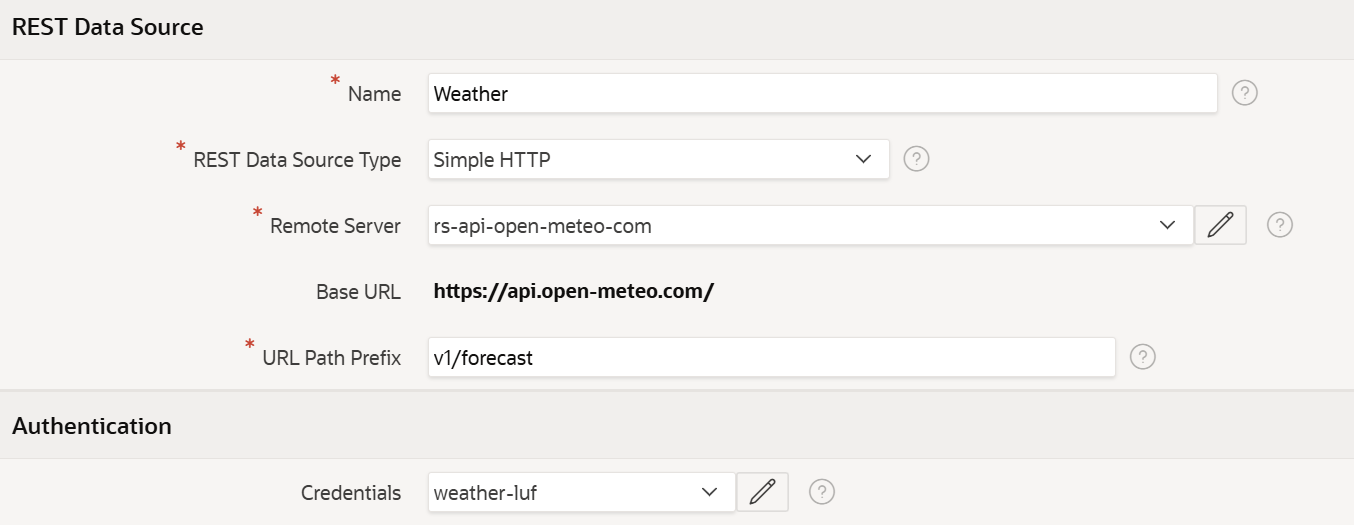
APEX separates out the URL by domain into a Workspace Level Remote Server (This also has a Prompt on Install - Default OFF).
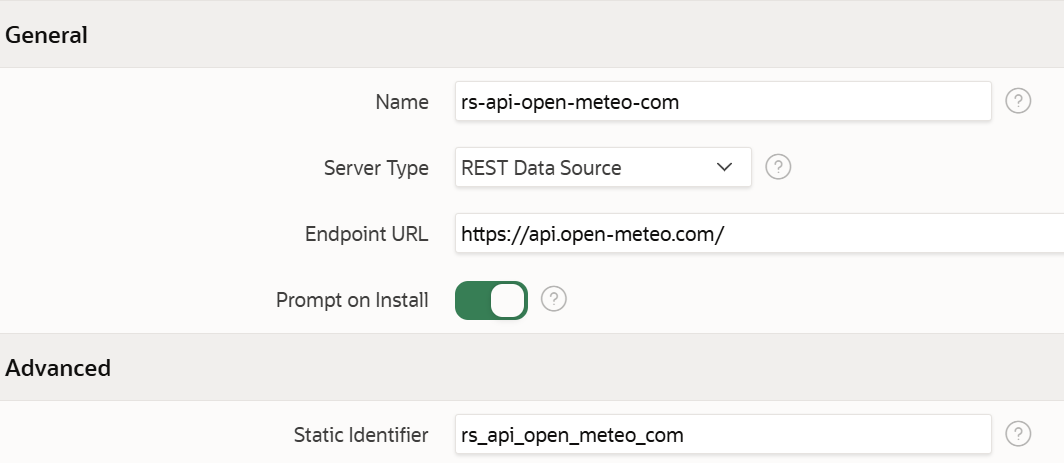
APEX also separates off the credentials to Workspace Level Web Credentials.
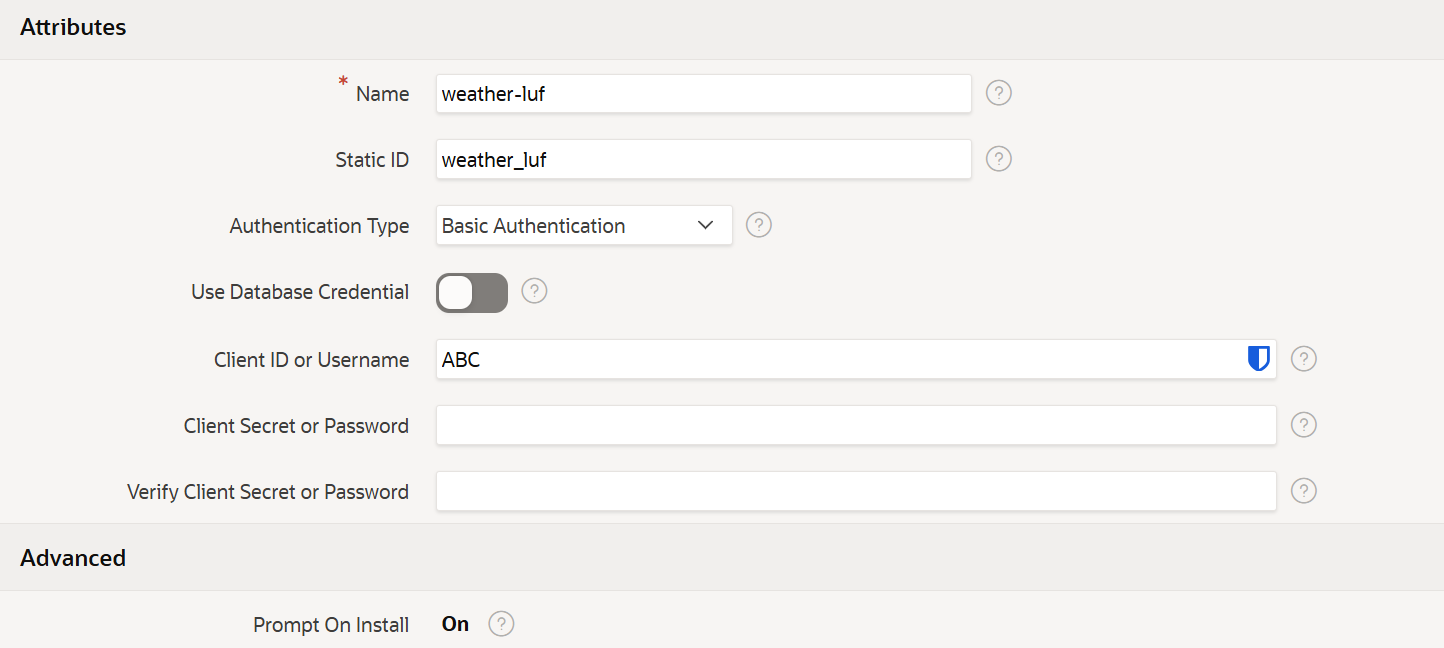
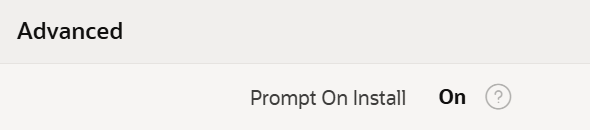
Web Credentials have a Prompt on Install. This is a switch
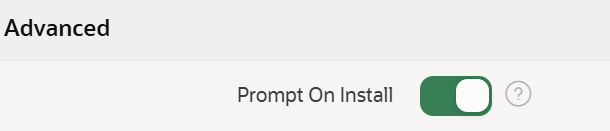
However as soon as you type a username in (i.e any sort of client/secret) then this forces the Prompt on Install to On and it can never be taken back
I also have Keycloak Authentication with APEX with a another Web Credential holding my Keycloak Client & Secret.

Export & Import to a new Workspace
Let’s Exthis app from Development and Import it to a new workspace.
As I go through the installer, I’m prompted to review/change the values of the Web Credentials & Remote Servers.
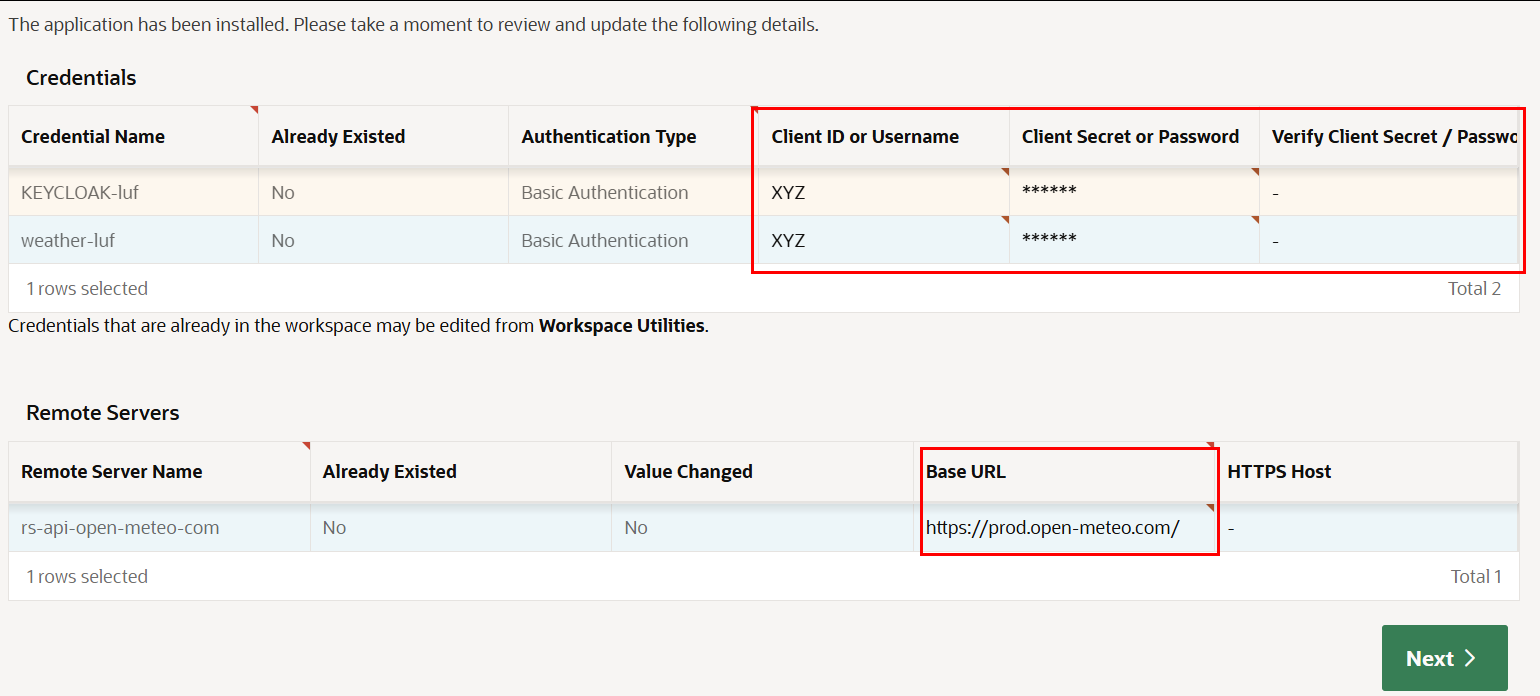
Notice that the Already Existed is set to No for all values.
I change:
The Web Credentials to Prod Username: XYZ
It was ABC on Development, however blank prior to me typing XYZ)
I could have left them blank and change them later in Workspace Utilities.
The Remote Server to the Prod URL
I click next and the application is installed as well as the Web Credentials & Remote Servers, both at Workspace Level with the values supplied.
Following more changes, I export the Application from Development once again & attempt to import it.
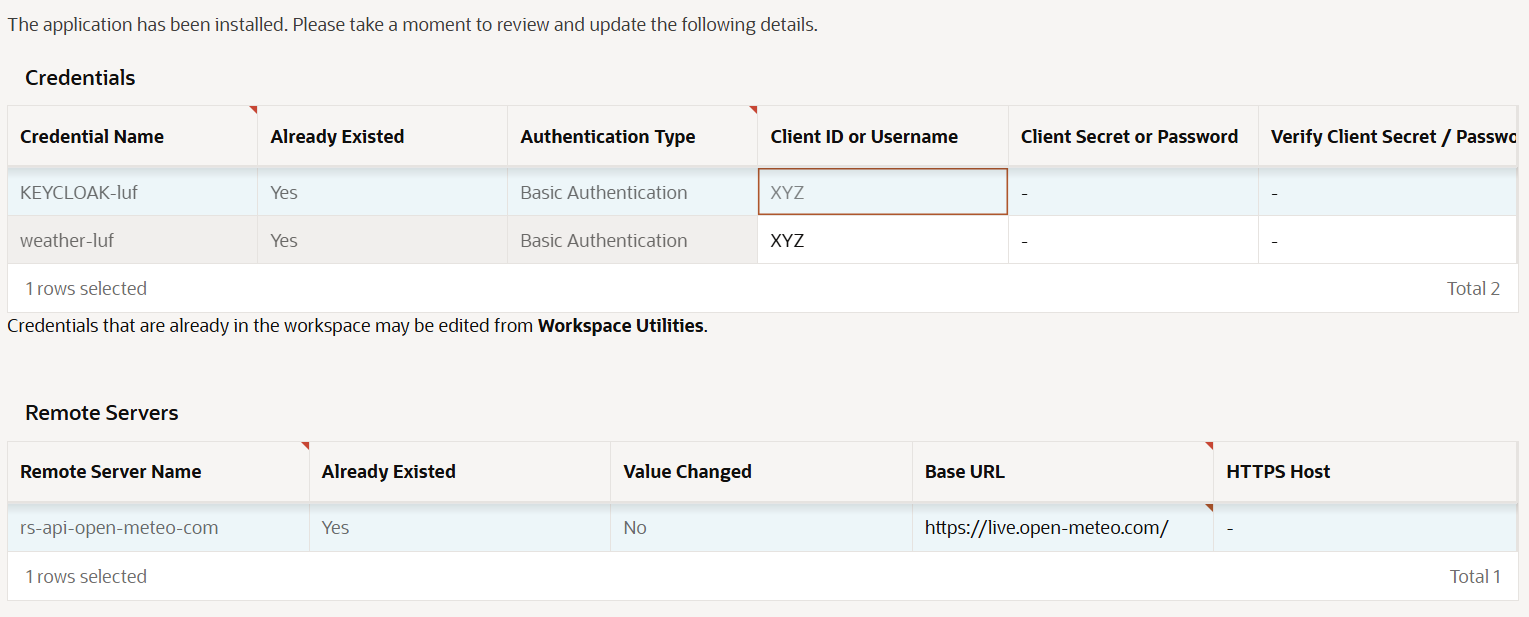
This time the Already Existed is set to Yes for all values. I now
Cannot edit any Web Credentials. I get to see the username and presence of a password, but I cannot edit it.
I can edit the Remote Servers. I change the URL again in here.
Command Line / CI/CD Instructions
Remote Servers can be set using apex_application_install.set_remote_server e.g
BEGIN
    apex_application_install.set_remote_server(
        p_static_id => 'MY_REMOTE_SERVER',
        p_base_url => 'http://production.example.com' );
END;
See these examples how to work it into your scripts.
Web Credentials can be set via combination of apex_credential.create_credential and apex_credential.set_persistent_credentials see this example
BEGIN
   -- first set the workspace
   apex_util.set_workspace(p_workspace => 'MY_WORKSPACE');

   apex_credential.create_credential (
       p_credential_name => 'OAuth Login',
       p_credential_static_id => 'OAUTH_LOGIN',
       p_authentication_type => apex_credential.C_TYPE_OAUTH_CLIENT_CRED,
       p_scope => 'email',
       p_allowed_urls => apex_t_varchar2( 'https://tokenserver.example.com/oauth2/token', 'https://www.oracle.com' ),
       p_prompt_on_install => false,
       p_credential_comment => 'Credential for OAuth Login' );

  -- should be followed by set_persistent_credentials
  apex_credential.set_persistent_credentials (
      p_credential_static_id => 'OAUTH_LOGIN',
      p_client_id => 'dnkjq237o8832ndj98098-..',
      p_client_secret => '1278672tjksaGSDA789312..' );
END;
ENJOY!
What’s the picture? It’s Sammy Fox by Emma Garness Artist, named after local hero Samson Fox. Visit Yorkshire.
About the author
With around 20 years on the job, Matt is one of the most experienced software developers at Pretius. He likes meeting new people, traveling to conferences, and working on different projects.
He’s also a big sports fan (regularly watches Leeds United, Formula 1, and boxing), and not just as a spectator – he often starts his days on a mountain bike, to tune his mind.
Comments
Join the discussionNo comments yet. Be the first to comment.